
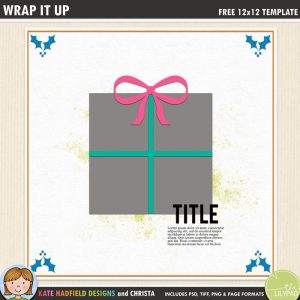

I’m kicking off December with the final blog challenge of 2018! This can be such a busy month, I hope you are able to make some time to get creative and record some special memories.
Many thanks to all who played along with last month’s challenge and scrapped with Christa’s Doily template, I really enjoyed seeing all your pages and all the different ways you used to template to kickstart your layout design! Rafflecopter picked Sharon’s International Incident layout as our winner for November, I love how Sharon blended a big photograph into the background of the page, it looks fabulous! Please email me or message me over at The Lilypad for details of how to claim your prize Sharon.
We are getting into the festive spirit with this month’s template! Christa has created this fun gift inspired design that’s perfect for Christmas and birthday photos. This would be a great template to use to scrap a series of photos from across the years, or to highlight little details from a birthday or other special occasion. As always, the download contains PSD, Tiff, png and .page file formats.

Here’s how the Creative Team used this month’s template, I hope these fabulous pages inspire you to get creative too!


THE CHALLENGE:
1. Download the free template below. You can use it as is, flip it, resize it – anything you want to make it your own!
DOWNLOAD TEMPLATE:
WRAP IT UP TEMPLATE
(INCLUDES TIFF, PSD, PNG AND .PAGE FILES)
2. Create a digital layout, a hybrid layout, or even a card or other project inspired by the template! It can be any theme that you wish. The only requirement is to use Kate Hadfield’s products (your page should consist of at least 50% Kate’s products and meet the Lilypad’s gallery requirements).
TO ENTER:
- Post your page in Kate Hadfield’s gallery at The Lilypad.
- Stop back and leave a comment in the Rafflecopter giveaway below, linking us back to your page by 11.59pm EST 31st December 2018.
The winner will be announced here on the blog and over in the forums at The Lilypad on New Year’s Day! I hope you enjoy creating with this festive template, happy scrapping!

 How to convert 12×12 digital scrapbook templates to 8.5×11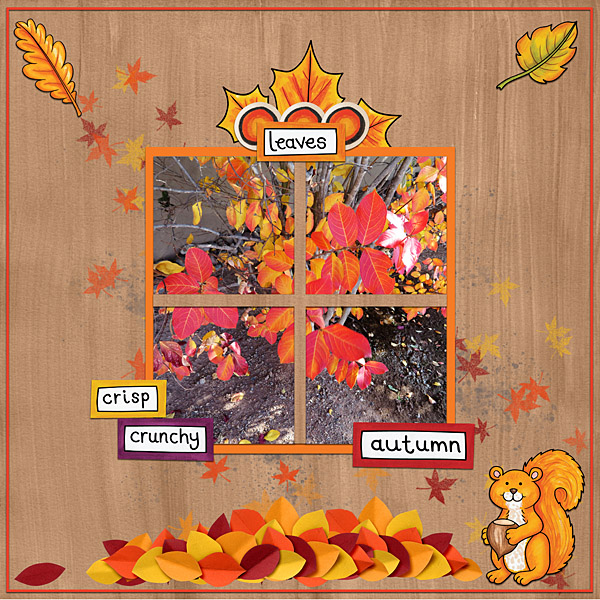
I’d really like to join in with these activities but I’m a bit clueless.. When I download into photoshop I just have a single blank page. Can anyone direct me to some useful tutorials for getting started with using templates, thanks.
Hi Vicki! You might like to start here: https://katehadfielddesigns.com/blog/how-to-use-digital-scrapbook-templates-photoshop/ – make sure you are opening either the PSD or TIFF file in Photoshop so you have all the layers to work with! Let me know if you have any questions (feel free to email me!)
thanks for this great template. https://the-lilypad.com/forum/galleries/2018-12-9-boys-ornaments-_600web.373115/
Thank you so much! I hope you had a great Christmastime!
https://the-lilypad.com/forum/galleries/christmas-card.372966/full
Thank you so much.
Thanks for a wonderful December template!
What a wonderful template for December! Thank you.
Such fun. Perfect for my DD’s sledding photos. Thanks so much.
https://the-lilypad.com/forum/galleries/12-18-first-snow.370724/
[URL=https://the-lilypad.com/forum/galleries/12-18-first-snow.370724/][IMG]https://the-lilypad.com/forum/galleries/12-18-first-snow.370724/full[/IMG][/URL]