
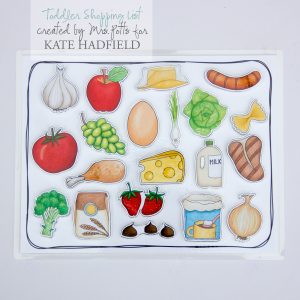

Hey all! Jewelle {aka mrspotts} here with another hybrid tutorial! Lately I’ve been going shopping with my one and two year old girls in tow. Let me tell you that is a difficult task to accomplish with them tagging along! Coming home from a particularly exhausting trip to the grocery store I thought to myself there had to be something I could do that could make this whole process easier on me (and my kids!) I thought about the problem for awhile and I came up with a solution. A toddler shopping list! This should keep them busy and happy while I get the shopping done. This is what my list looks like…

This hybrid tutorial uses Photoshop to create the borders of the shopping list. However, the techniques I show in Photoshop could easily be replicated using a pen. Time to get started!
Supplies Needed:
- Al Fresco by Kate
- Baked with Love by Kate
- Chef’s Kitchen by Kate
- Doodled Pocket Pages (Rounded) #2 by Kate
- Adhesive Velcro
- Presentation Paper
- Precision Scissors
- Photoshop {optional}
- Lamination {optional}
- Black Pen {optional}
1. Open a blank 8.5″ x 11″ document in Photoshop. Open up 02 from the Doodled Pocket Pages (Rounded) #2 . On the doodle pocket page turn off all the layers except the doodled lines. Using the rectangle marquee tool select a 4 x 6 doodle. Using the move tool drag the 4 x 6 doodle over to your new document. Enlarge the doodle until it fits on your document.

2. Add your food pieces to your layout. Resize pieces as needed. I tried to pick foods for the list that my toddler would recognize easily and also food that we get each time we go shopping. All foods came from these kits of Kate’s: Al Fresco, Baked with Love, and Chef’s Kitchen.
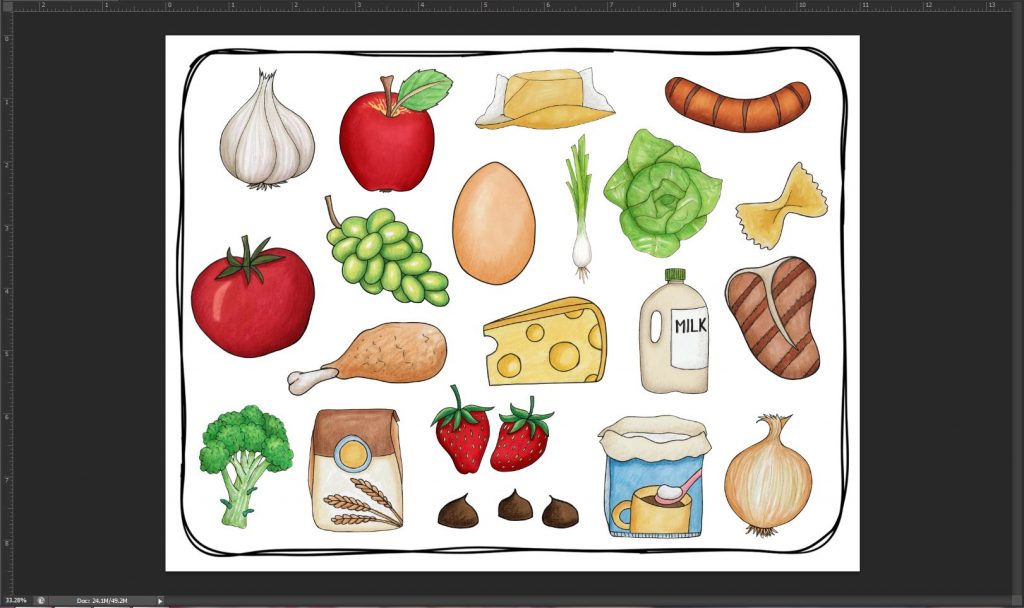
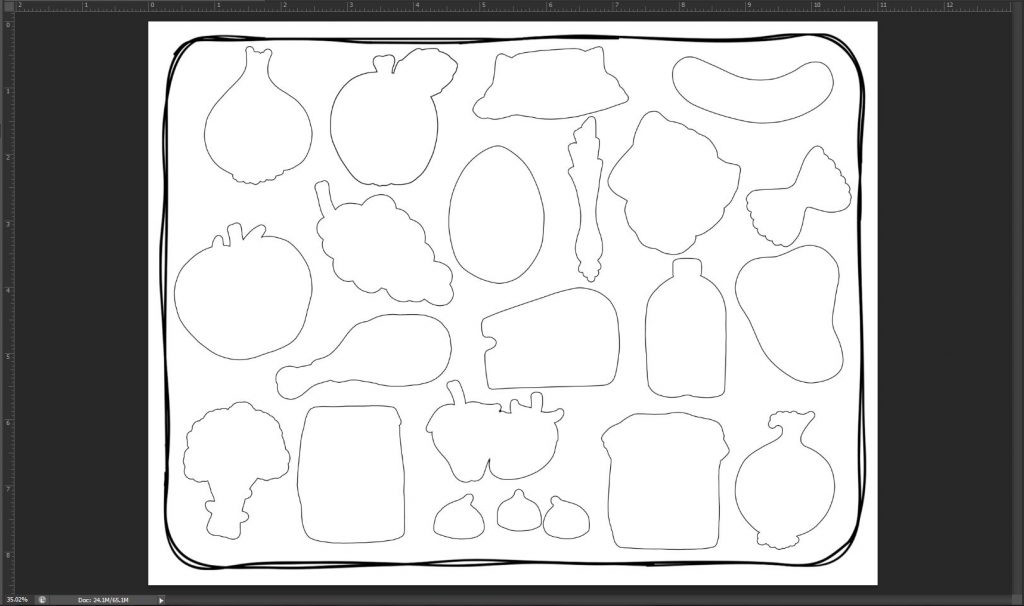
3. Starting with your top food layer add a layer style. In the dialog box that pops up change your settings as follows: check the box next to stroke, change your size to 15 px and change your color to white. Everything else stays the same! Click OK.

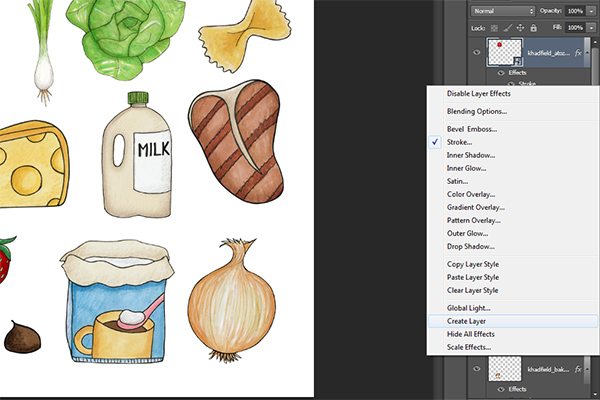
4. On the same food layer right click where it says EFFECTS. From the drop down menu choose create layer. You should now have two layers. One layer is your food layer. The other layer is your stroke for that layer.
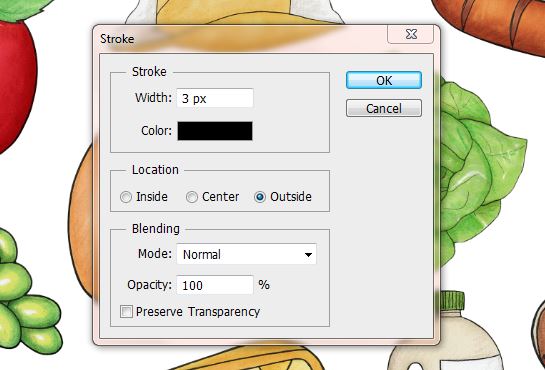
5. Highlight the stroke layer. Go up to Edit—>Stroke. In the dialog box that pops up change your settings as follows: width 3 px, change your color to black, and change location to outside. No other changes are necessary. Click OK.
6. Repeat steps 3 through 5 for each layer of food.
7. Using the layer visibility button (it looks like an eye) turn off all food layers until you are left with just the stroked outlines. Print this page.
7. Turn all your food layers back on using the layer visibility. Turn off your doodled border. Print this page.

8. Open a new 8.5″ x 11″ document in Photoshop. Open up 05 from the Doodled Pocket Pages (Rounded) #2 . On the doodle pocket page turn off all the layers except the doodled lines. Rotate the page 90 clockwise and print.

9. Cut out all of your food pieces. Laminate them for durability. Cut them from the lamination. Adhere your page with the doodled border around the fruit and your square doodled borders back to back. Laminate this page for added durability. (Lamination is certainly optional, but when dealing with toddlers anything to help durability feels necessary to me!)
10. Using adhesive velcro attach the food pieces to their outlines. You can see in the picture below that some of the velcro may need to be trimmed to fit on the food.

Your finished with your toddler shopping list! I have not added this to my shopping list but I plan on taking a little Ziploc baggie with us shopping. All the food pieces will be in the baggie. As we put the food items in the cart she can put the matching picture on her chart.
A brief mention about the backside of the shopping list. In case your shopping trips are long like mine, and your toddler gets restless you can take a dry erase maker with you in your Ziploc baggie. The child can use the back to draw pictures in each square. As you can see, my toddler has already started to use our shopping list!

If you make a toddler shopping list with Kate’s doodles be sure and share a link in the comments so we can see them!

 Doodled Pocket Pages: Round Ups 4
This is genius, Jewelle! I don’t have children, but I’ve pinned this for future reference! I think this would be fun for my niece, too.
Oh my goodness, that is so adorable! What a great idea!