
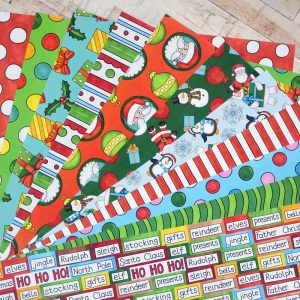


I wanted to share with you what must be the easiest craft project I’ve ever made with my digital scrapbooking supplies: wrapping paper! When I created my Colour In Christmas Gift Tags recently I knew I wanted to make some matching papers, and so I decided to try printing some of my digital papers as lovely Christmas gift wrap.

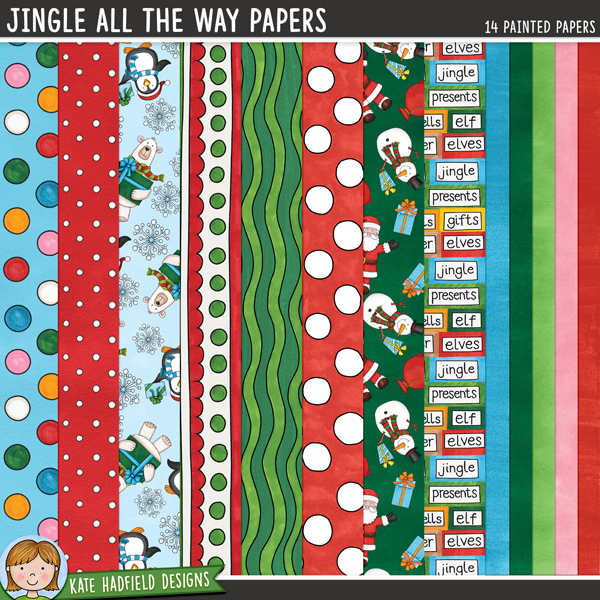
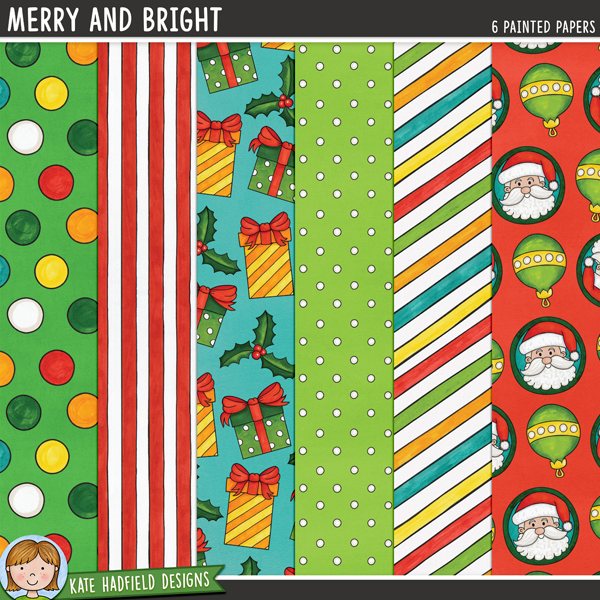
I picked a selection of papers from my Jingle All The Way and Merry and Bright papers packs featuring some fun characters and some more general patterns that could work for other occasions too. I opted to make A3 sized papers (approx 11.5 x 16.5 inches), thinking that would create big enough papers to wrap smallish gifts and that the digital papers would reproduce well at this size. For some papers I enlarged the original 12×12 paper up to fit the A3 size and for others I just butted two papers next to each other in the A3 document, and planned to add some ribbon to the wrapped gift to cover the join if it was too noticeable!

I had the gift wrap printed on white 80gsm paper by my local printers and I’m thrilled with how they came out! Even the papers that I enlarged have printed really crisply and cleanly. The cost per sheet worked out at about £0.60 a page for 20 sheets so it is an affordable project, especially for a special gift that warrants extra special wrapping paper!

Now I have plans to make lots more gift wrap, I’ll be going through my stash to see what I can print next!

How to make gift wrap using your digital scrapbooking supplies
- Create a new A3 size, 300 dpi document in Photoshop / your image editing software. Note: I chose A3 as I knew my local printers printed at this size, but pick whatever size works best for you and your printer, keeping in mind the size of the gifts you want to wrap!
- Drag your 12×12 digital papers into the document. Either enlarge to fit the document, or position on one edge, copy the paper and align next to the first paper to fill the frame. Depending on the pattern or texture you might be able to play around with the positioning of the second paper to create a seamless pattern across your A3 document.
- Save as a new file and upload to an online print service, or take to your local printers to print your fabulous gift wrap!

This was such a fun project to make my digital scrapbooking stash go further. If you print your own wrapping paper too I would love to see what you make – please tag me on social media or get in touch to show off your gift wrap creations!
Merry Christmas!
Supplies used:


 Free Christmas Digital Scrapbooking Template: Joyful
Thanks, Kate, for making creating such cute designs and sharing them freely. I also make my own wrapping paper for my (great or great-great) nieces and nephews birthdays. I create a 12×12 design with their name in multiple fonts, their age in multiple fonts, using their favorite colors for the year (from their parents) and some of the things they are interested that year (also from their parents). Then i put 6 of them onto a 24″x36″ size document (Photoshop Elements) and print them on a plotter we have at home (to print boat charts). I wrap a present for them (and, of course, a check) and send it in the post. The kids all get a kick out of the paper being personalized and one of them puts them in a 12×12 frame and keeps them. I’m sure people could print them to a local office supply store, but I’m lucky enough to have a big printer at home. Thanks again!
Oh that’s fabulous! I’d love to see some photos of the wrapping paper if you have the chance to show me, I bet the kids love it! I’m very jealous of your big printer too!